Your Manscaped trimmer’s blinking lights communicate its status through different colors and patterns. Green blinking means it’s charging normally, while red indicates low battery or a charging error. Blue or white blinking signals pairing mode or firmware updates. Fast blinking usually stems from dirty charging ports or software glitches—try cleaning the port and resetting the device by holding the power button for ten seconds. Each light pattern tells you something specific about what’s happening with your trimmer, and there’s a targeted fix for every issue you might encounter.
What Each Blinking Light Means
Your Manscaped trimmer’s blinking lights communicate several different states, and understanding what each color and pattern means will help you troubleshoot issues quickly.
Blinking green indicates your trimmer’s charging process. It’ll change to solid green once fully charged. Blinking blue or white signals pairing mode or firmware updates on advanced models like the Lawn Mower Pro. The 5.0 Ultra model features a constant RPM motor that maintains consistent performance even as battery levels fluctuate.
Different light combinations reveal battery status during usage scenarios. One LED blinking means under 33% charge, while three blinking LEDs indicate 67-99% charge. Steady lights confirm a full battery. If you experience a blinking red light, this signals low battery or a potential charging error that may require using the correct USB-C cable and adapter.
You’ll also encounter a low battery warning—blinking during active trimming—that prompts immediate recharging to prevent mid-trim shutdown. Regular maintenance and proper care can extend your trimmer’s effectiveness, similar to how blade replacement intervals determine grooming device longevity.
Finally, if your trimmer blinks upward, travel lock mode is active. Press the power button three times rapidly to deactivate it.
Red Blinking: Low Battery or Charging Problems
When you see red blinking on your Manscaped trimmer, it’s signaling one of two issues: either your battery’s critically low, or you’re experiencing a charging problem.
If the red blinks during use, your battery’s depleted and you need immediate charging. A solid red light indicates critically low capacity under 10%, meaning shutdown’s imminent.
For charging problems, incompatible chargers or mismatched voltages trigger red blinking. Connection issues between your cable and port also cause errors. Check for debris in both the port and connector. If blinking persists after two-plus hours, your charging habits may need adjustment—always use the original USB-C cable and adapter provided. Similar to how proper preparation steps are essential before grooming, ensuring your trimmer is fully charged before use prevents interruptions during your routine. Just as clipper guard maintenance requires consistent attention to performance, keeping your trimmer charged maintains optimal functionality. Regularly checking battery status before use helps prevent unexpected power loss during grooming.
Extend your battery lifespan by unplugging once fully charged and avoiding incomplete charging cycles.

Adaption Model: Wusuker replacement blade is specially designed for Manscaped The Lawn Mower 4.0 3.0 2.0 models for your convenience.

Fit for Manscaped lawn mower 3.0/2.0 Electric Groin Hair Trimmer, fit for Manscaped Weed Whacker 1.0 (Not fir for Weed Whacker 2.0/3.0)
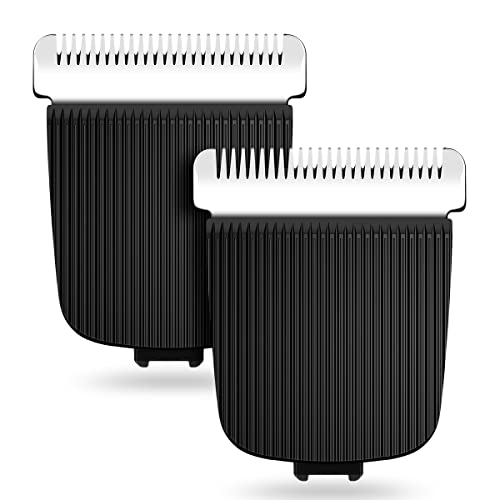
ADVANCED TRIMMER BLADE: Amorka trimmer replacement blade cartridge compatible with Manscaped The Lawn Mower is made of premium material and craftsmanship. Specially engineered replaceable blades help groom mens’ most sensitive regions with confidence.
Green Blinking: Your Trimmer Is Charging Normally
Unlike the red blinking that signals battery depletion or charging errors, a green blinking light means your trimmer’s actively charging and operating as designed. This blinking pattern represents your charging indicators communicating real-time battery management data to you.
When you plug in your USB-C cable, you’ll notice the green light pulses progressively as your battery fills up. One LED blinking shows less than 33% charge, while three LEDs blinking indicate 67-99% capacity. A full charge typically takes 90 minutes and provides 60 minutes of runtime. Steady LEDs indicate the trimmer is fully charged and ready for use.
The blinking continues until your trimmer reaches complete capacity, at which point the light becomes solid green or white. This confirms your device’s fully charged. You can expect a quick 10-minute charge to enable an additional grooming session if needed. To maintain optimal performance and longevity, remember to incorporate regular maintenance into your grooming routine, including disinfecting with alcohol after each use to prevent rust and ensure hygiene.
Blue or White Blinking: Pairing Mode and Software Updates
Beyond the charging indicators you’ve already learned about, blue and white blinking patterns signal different operational modes on advanced Manscaped trimmers.
Blue blinking indicates your trimmer’s entered pairing mode, ready to connect with the Manscaped app via Bluetooth. This occurs when you’ve initiated the connection sequence on Pro series models. Confirm your smartphone’s Bluetooth is enabled and the app’s installed before attempting pairing.
White blinking denotes an active software update. Don’t interrupt this process, as doing so risks device malfunction. Use an original USB-C cable and maintain consistent power throughout. Regular charging helps maintain the device’s ability to complete updates without interruption. Unlike electric razors that prioritize foil shavers for precision cutting, Manscaped trimmers require uninterrupted power during firmware operations to ensure optimal performance. Preventing water damage to your trimmer is essential during software updates, as moisture exposure can interfere with the electrical components needed for successful firmware completion.
Understanding these blinking colors’ significance helps you quickly identify pairing mode issues or firmware operations. If blue blinking persists without successful pairing, reset your device by holding the power button for 10 seconds, then retry. For unresolved white blinking, contact Manscaped support.

THE LAWN MOWER 5.0 ULTRA: Includes two Interchangeable SkinSafe Blade Heads: A Trimmer Blade & Foil Blade. One fixed-length comb at 1.4mm and two adjustable combs ranging from 2-12mm, power adapter, USB-C cable, and a travel pouch. Our trimmer is USB-C and wireless charging compatible.

Safety: This item is up to nationally recognized standards for high-level electronic safety.

THE BEARD HEDGER: Our precision beard groomer comes equipped with an intuitive zoom wheel with 20 different lengths (.5mm increments up to 10mm max. length) to choose from so you can ditch the dozen clipper attachments and trim anything from a lumberjack ‘stache to stubble.
Travel Lock Keeps Your Trimmer Off: Here’s Why
Travel Lock is a built-in security feature that prevents your Manscaped trimmer from accidentally powering on while you’re storing or transporting it. When activated, this mechanism safeguards your device during travel, eliminating battery drain and ensuring you arrive with a fully charged trimmer ready for use.
To activate Travel Lock, press your power button three times quickly while the trimmer’s powered off. You’ll notice the LED indicator illuminates upward, confirming the lock’s engaged. This feature proves invaluable for travel safety tips—it prevents unwanted buzzing in luggage or during flights. For optimal device care, remember to disinfect your trimmer regularly to maintain hygiene and longevity. Just as proper preparation with clean, dry hair is essential before using guide combs and clippers, keeping your trimmer well-maintained ensures peak performance.
Deactivating requires another three quick power button presses. The LED illuminates downward, signaling the lock’s released. Understanding these power button functions keeps your trimmer secure and ready whenever you need it. The Travel Lock mechanism is recommended for use every time you plan to travel with your Lawn Mower® 4.0 to help maintain device integrity.
Deactivate Travel Lock in Three Steps
Deactivating your Manscaped trimmer’s Travel Lock is straightforward—you’ll just need to repeat the same three-press sequence you used to activate it. First, verify your trimmer’s completely powered off. Then press the power button three times in quick succession. You’ll see an LED indicator flash downward, confirming the travel lock’s successfully deactivated. This downward illumination is your visual confirmation that the lock status has changed. Once you’ve observed this signal, you’re ready to power on your trimmer normally with a single button press. Travel lock prevents accidental activation during transport, helping keep your device safe while you’re on the go. The trimmer’s IPX7 waterproof rating also protects your device from moisture damage during travel and everyday use. For precision grooming, the device features a 4000k LED spotlight that provides enhanced visibility for detailed work. If you don’t see the LED response, try the sequence again—no response typically indicates the lock was already deactivated or suggests a battery issue requiring attention.
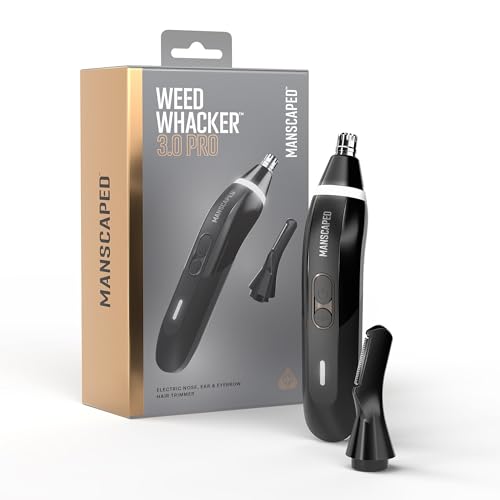
WEED WHACKER 3.0 PRO: Our third-generation electric nose hair trimmer for men includes a new SkinSafe eyebrow trimming attachment for precise detailing. Waterproof* design makes cleanup quick and easy—just rinse and go. *IPX7 rated to protect against immersion in up to one meter of fresh water for up to 30 minutes.

THE SHED 2.0: With dimensions of 4.7 inches in height, 9.4 inches in length, and 4.3 inches in width, this toiletry bag offers ample space for your grooming essentials while remaining compact enough to fit in your luggage or backpack.

TRAVEL LOCK: Enjoy the travel lock feature to help reduce accidental powering of the device. Press and hold the lock button for 5 seconds to engage / disengage. Illuminate your grooming area with the built-in LED light, ensuring you never miss a spot. The bright, focused light makes it easy to navigate those hard-to-reach areas and achieve a consistently clean trim every time. Our trimmer also comes with an EVA Travel case for the man on-the-go.
Fix Fast Blinking: Port Cleaning and Device Reset
Once you’ve confirmed your travel lock’s deactivated, you can focus on what’s likely causing your trimmer to blink rapidly—and the good news is that fast blinking usually stems from fixable issues like a dirty charging port or a software glitch.
Start with device maintenance by inspecting your charging port for debris, lint, or residue buildup. Clean both the port on your trimmer and the USB-C cable connector thoroughly. Incompatible chargers create charging issues, so always use the original adapter provided. Water in the charging port can also block the connection and prevent proper charging, so ensure your trimmer is completely dry before attempting to charge again. Regular blade and port maintenance prevents buildup that can interfere with charging connections and device performance. After cleaning, apply clipper oil to the blade area to ensure optimal functionality and longevity.
Next, perform a device reset by holding your power button for 10 seconds. This clears software glitches causing persistent fast blinking. After resetting, reconnect your charger and monitor the LED pattern. Most fast blinking resolves through these two straightforward steps.

CLEAN & REPAIR CHARGING PORT - Compatible with iPhone cleaning kit tool won't get stuck inside and is easy to plug and use. Use the port pick, U-shaped brushes, and port brushes to clean the dirt out of your Phone, Pad, and Type-c port, and keep your phone looking brand new. Charging port cleaners can effectively clean lint, hair, fluff, and dust from your personal device ports
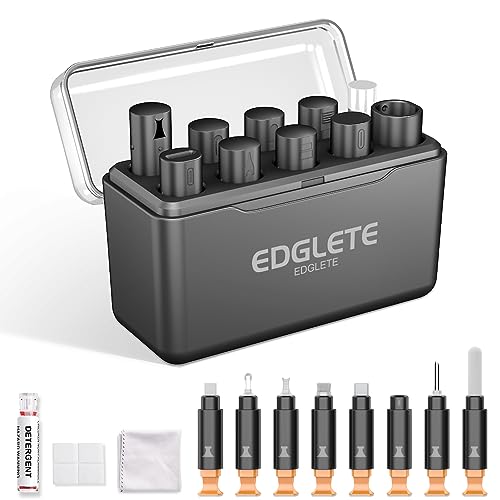
Iphone Cleaning Kit For Charging Port - The port hook, steel "U" brush and port wipe in the iPhone cleaning kit effectively clean compatible with iPhone, Android, iPad and tablet USB C port! Easily clean stains, hair, dust, fuzz, rust, oxidization and other contaminants from charging ports. Extend the life of your cell phone and electronic devices with our iPhone charging port cleaning tool
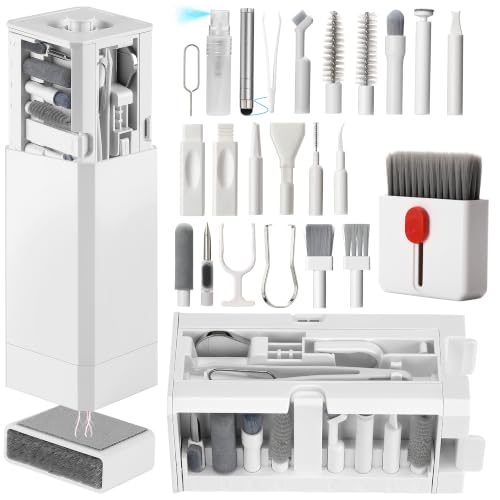
PHONE & CHARGING PORT CLEANING KIT: Built for everyday phone care for Lightning and USB-C charging ports, speaker openings, earpieces, phone edges and camera areas. Removes pocket lint, dust and debris from hard-to-reach spaces on iPhone, Android and other smartphones.
Warranty Coverage and Free Replacement Parts
If you’ve tried troubleshooting your trimmer without success, you’re likely covered under MANSCAPED’s warranty program. Your Lawn Mower or Beard Hedger qualifies for a 2-year limited warranty from your original purchase date, provided you bought from MANSCAPED.com or an authorized dealer.
To initiate the replacement process, contact support@manscaped.com with your proof of purchase. You may need to return your device for evaluation. The warranty duration covers defective parts and units, though normal wear and tear doesn’t qualify. Prepaid shipping labels will be provided for returns requested by MANSCAPED. For comparison, premium electric shavers like Braun Series 9 also offer extended warranty options for added protection.
MANSCAPED will repair or replace your trimmer at their discretion. If your original model isn’t available, you’ll receive an equivalent replacement. When your replacement arrives, remember to clean your trimmer thoroughly and comb it out before use to ensure optimal performance. Peak Hygiene Plan members gain access to enhanced Platinum Warranty coverage, allowing one claim per 12-month period with active membership status.

Any insert – no need to align the eyelet and spool before inserting the line, Easy to use

Genuine Ryobi Replacement Part.

SUITABLE FOR MULTIPLE COMPATIBLE WITH BLACK+DECKER MODELS: GH400, GH500, GH600, GH610, GH900, GH912, ST6600, ST7000, ST7200, ST7700, ST7701, ST8600, ST9000, CST1000, CST1100, CST1200, CST2000, MTC220, MTE912, NST1018, NST1024, NST1118, NST1810, NST2018, NST2118, LST120, LST136, LST140, LST201, LST220, LST300, LST400, LST420, LST522, LST1018, LSTE523, LSTE525, BESTA510, BESTA512, BESTE620